> ## Documentation Index
> Fetch the complete documentation index at: https://magicpatterns.mintlify.site/docs/llms.txt
> Use this file to discover all available pages before exploring further.
# Copy Code as Prompt
> Take your Magic Patterns design from idea to production using AI code editors
## From Idea to Production in Minutes
One of Magic Patterns' most popular features is the **"Copy code as prompt"**, which enables customers to bring their AI-generated designs into production codebases seamlessly.
### Why This Workflow is So Powerful
By default, Magic Patterns generates clean, vanilla React code that's ready to use ready to be consumed by tools like Cursor or Claude Code that know your codebase well.
### How It Works
Use Magic Patterns to create your UI components or full pages using natural
language prompts. Magic Patterns will generate clean, production-ready React
code.
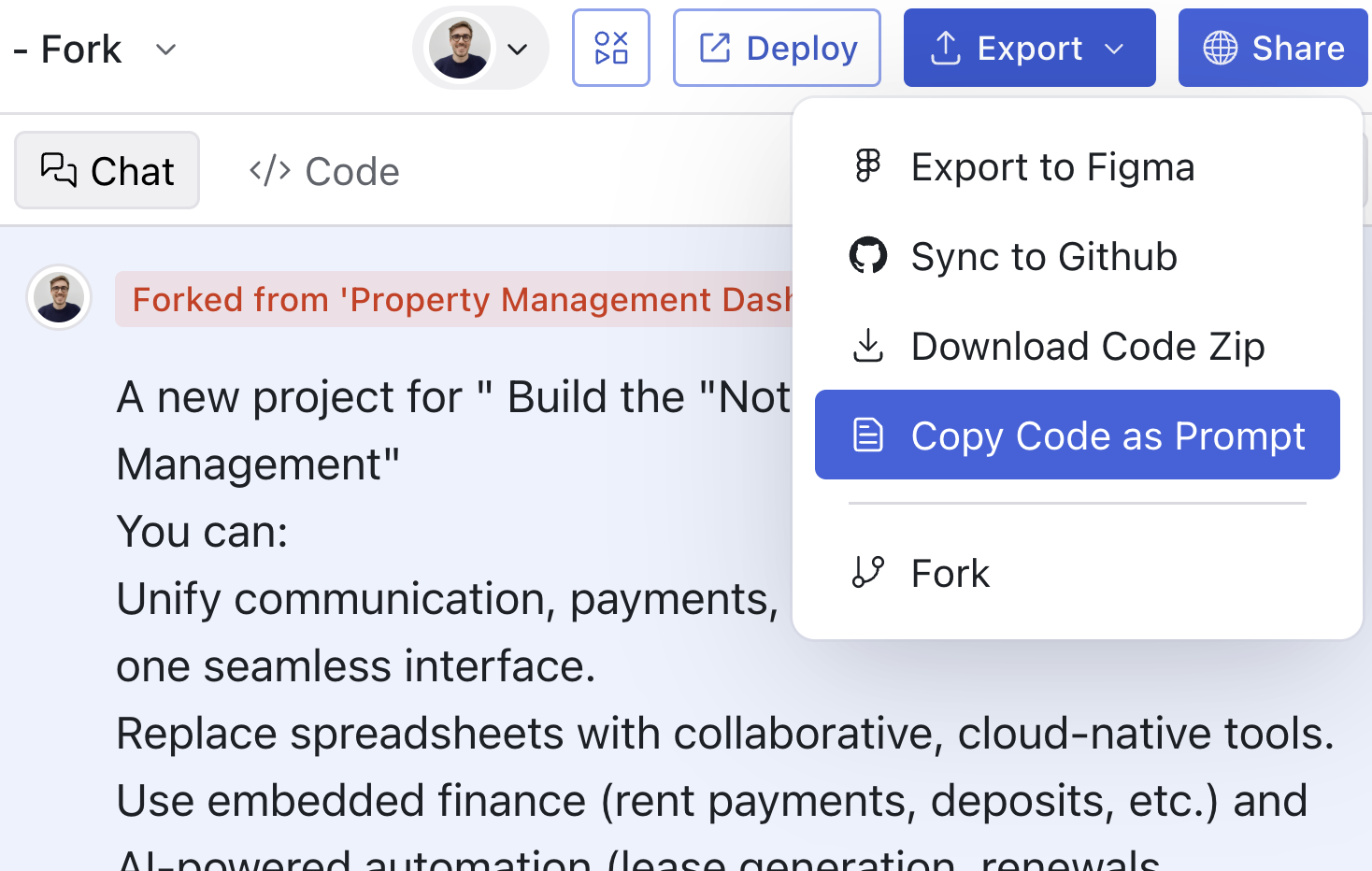
Click the **"Copy code as prompt"** in the export menu. This copies your
generated code in a format optimized for AI code editors.
 Open your project in Cursor, Claude Code, or any AI-powered editor. Paste
the code and ask the AI to integrate it into your codebase.
**Having trouble getting the generated code to fit smoothly?** Try using a
[Design System with Rules](/documentation/design-systems/editing/rules) to match
your codebase conventions. For best results, consider tweaking your IDE's
"rules" as well. For example, in Cursor, you can add rules to help it
better understand the AI output.
### Need Help?
Join our community to see how other developers are using this workflow:
Share tips and get help from the community
See real-world examples of this workflow
Open your project in Cursor, Claude Code, or any AI-powered editor. Paste
the code and ask the AI to integrate it into your codebase.
**Having trouble getting the generated code to fit smoothly?** Try using a
[Design System with Rules](/documentation/design-systems/editing/rules) to match
your codebase conventions. For best results, consider tweaking your IDE's
"rules" as well. For example, in Cursor, you can add rules to help it
better understand the AI output.
### Need Help?
Join our community to see how other developers are using this workflow:
Share tips and get help from the community
See real-world examples of this workflow